
 Docs
Docs
HubCreate documentation
Find all the guides and resources you need to get up and running with HubCreate.Past Deployments
The "Past Deployments" page in HubCreate gives you an overview of all of your past deployments. Here, you can view key details about each deployment including:
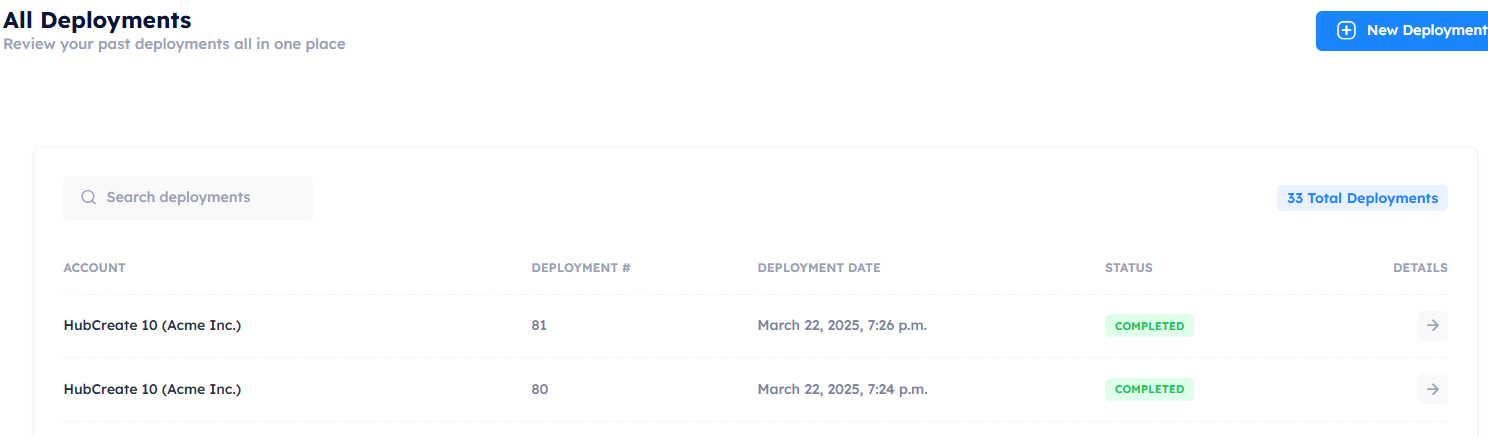
- HubSpot Account: See which HubSpot account the deployment was made to.
- Deployment ID: Each deployment is assigned a unique ID number for easy reference.
- Deployment Date: The exact date when the deployment took place.
- Status: Whether the deployment was successful, failed, or in progress.
Full Deployment Details
Each deployment listed in the "Past Deployments" section is clickable. When you click on a deployment, you'll be taken to the detailed view where you can see a complete breakdown of the assets in that deployment. The details include:
- Asset Breakdown: View the assets deployed in that specific deployment by type (e.g., workflows, forms, emails, etc.).
- Asset Status: See the status of each individual asset in the deployment. This will show if an asset was successfully deployed, failed, or is still in progress.
- Deployment History: Access the same key details you saw on the past deployments page, such as the HubSpot account, deployment ID, date, and overall status.
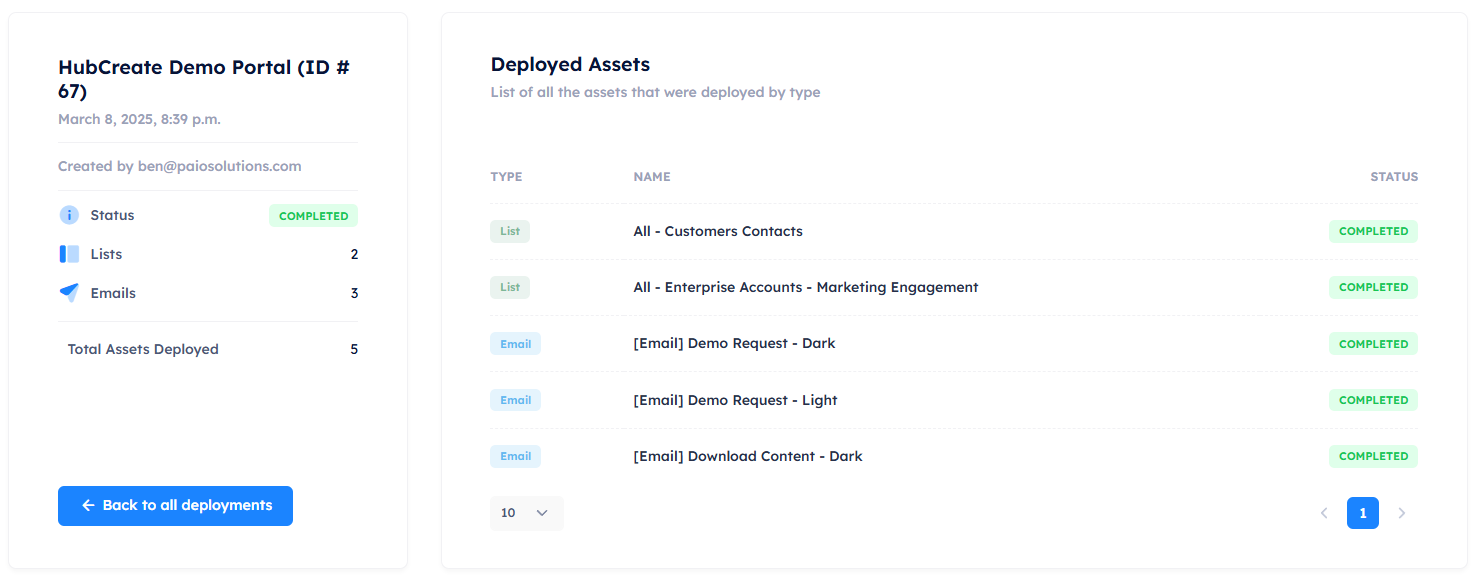
This detailed view helps you monitor and review your deployment history to track your past activities and ensure that all your assets have been deployed correctly.